I’m pretty sure I saved this blog title back in 2020 when we were all in the alternate universe that was Covid-19!
I have a vague memory of playing with Rubik cubes when I was much younger, which makes sense, as it was launched to the world 2 years after I was born. It’s the kind of thing my Dad would have picked up, so undoubtedly we had at least one when I was growing up. I suspect it’s more because I also have memories of peeling off the stickers and reattaching them to solve one (which you can’t have done many times without losing stickers) and also taking it apart, removing the pieces, rearranging and then clicking it all back together.
I have no need to do this now, as I picked one up during COVID and watched a few YouTube video tutorials showing how to solve it without removing any stickers or pieces. The tutorial was almost 30 minutes, but you could generally follow along, so that’s how long it took to begin with. I eventually managed to complete it without the tutorial, and through daily repetition got it down to less than 2 minutes.
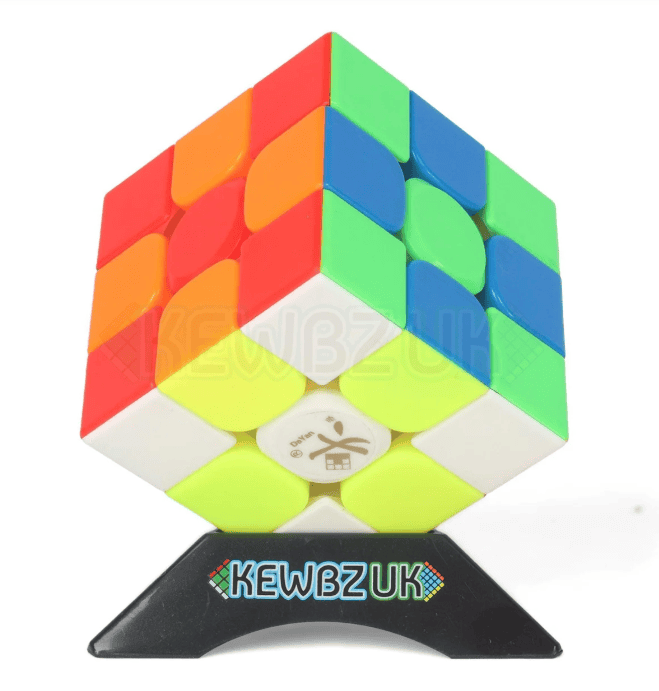
I was a little humbled on a visit to see friends in Windsor, as I’d been told their son was a Rubik’s Cube whiz. I thought my 2 minutes was pretty good, only to be schooled by G, who can do it in about 30 seconds! I’d need to learn some more algorithms to get sub-1 minute, and I think that’s the fastest I’ve managed with my ‘technique’ about 90 seconds. After that visit, I put it down for a while, but recently bought another cube from KEWBZUK – a DaYan TengYun V3 (Magnetic) – and have been playing daily again.
I was going to put my 7-step guide here, as much as a memory for me as anyone else. If you want to learn, use the YouTube link above!
White cross on top, with edges aligned to the centre colours (F U’ R U)
Cross on bottom and drop corner pieces in with left/right hand ‘sexy’ move (R U R’ U’)
Complete middle row, aligning top centre colour and pushing away from the colour on top (U > left/right sexy)
Yellow cross on top, with top and left aligned (F sexy F’ repeat)
Align top colours, left and back preferred (R U R’ U R U2 R)
Align corners, one right-front (U R U’ L’ U R’ U’ L
Complete, with white face on top (repeat sexy for corners to get yellow on bottom, twist bottom around and repeat)
Ten years ago, almost to the week, this blog started with me trying to live in elementary OS instead of macOS. There was an undocumented first attempt, then Take 2, then Take 3. After that came PC-BSD, then TrueOS, then Project Trident, and various versions of Ubuntu (which kind of became my Linux distro of choice, and still is for server VMs I’m running), but every single time I ended up back on my Mac.
Over the last 10 years, this is probably more like Take 44, but almost 3 months in, and for the first time, I think it is beginning to stick.
Since the 21st of August, I’ve been running Omarchy on an HP EliteBook 6 G1a, and I’ve started to pick that up more than my MacBook Pro M5 Pro, which is very unusual.
So what is Omarchy?
It’s Arch Linux with Hyprland, bundled up and opinionated by David Heinemeier Hansson (DHH) of Ruby on Rails fame, into something you install in less than five minutes and then ‘just use’. Hyprland is a tiling window manager, so windows don’t overlap and get dragged around — they tile themselves, and you move between them with the keyboard. Omarchy wraps that in a bar, a theme system, a set of keybinds and a pile of defaults that DHH uses to get things done from the keyboard, and not using a mouse. It takes a little getting used to, but once you do it actually makes a lot of sense, and the concept of workspaces for different tasks feels very much like OSX Spaces and Mission Control, well, to me anyway!
If that sounds like the opposite of what I said I wanted in 2016, that’s because it is. Back then I chose elementary OS precisely because it looked like macOS — menu bar, dock, consistent apps. I wanted the familiar thing. This time I’ve gone with something that looks nothing like a Mac, and while I think wanting a familiar experience might have been the problem all along, I think there are still things macOS does better, especially if you still like using the mouse or trackpad, which I am for some things.
Why this one stuck
Three reasons, I think.
The first is that somebody else made the decisions. My previous attempts all died the same death — I’d spend an entire evening theming the rEFInd boot menu (I really did this, in 2016, and it took way too much time) instead of using the computer. Omarchy turns up finished. There’s no ‘which bar shall I use’ phase to get lost in.
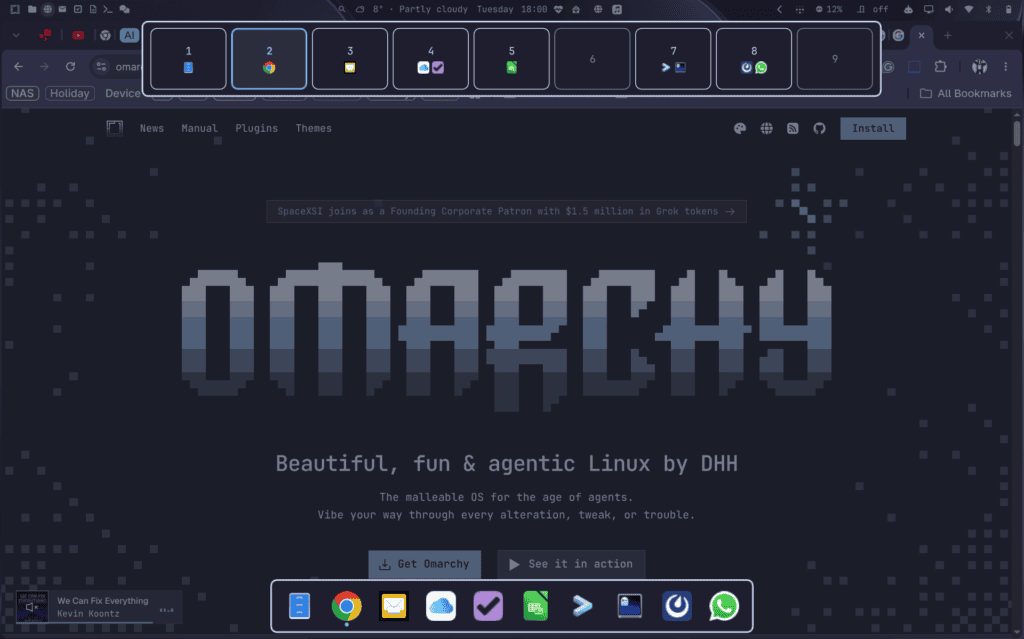
The second is the trackpad. In ‘Where to begin?’ I wrote that two, three and four-finger gestures were the thing I’d miss most about macOS, and that they were probably what killed the first attempt. I was right then, and it’s still the real test. The difference now is that I didn’t have to go hunting for an app that solved it and hope one existed — I wrote one, or at least I wrote one with the help of Claude Code! Three fingers up on the trackpad gives me a Mission Control-style view of all my workspaces, and moving to the bottom of the screen pops up a macOS-like Dock.
Which is really the third reason. In 2016 I was shopping for software and hoping somebody else had built what I needed. In 2026 I have what feels like a very integrated coding agent that not only helps fix issues, but can actually help write the missing pieces myself, in QML. Some of them are even published in the Omarchy Marketplace as plugins that other people have installed. That isn’t a sentence I ever expected to write on here!
The honest bit
I haven’t ditched the Mac. I bought a MacBook back in March, which I blogged about here. I’m not going to pretend otherwise, and there’s every chance some of these blogs get edited on that too. I have started using Amethyst on my Mac though, which is a tiling window manager for macOS. It behaves similarly, although strangely differently, to Hyprland, which I am still preferring and finding easier to use. My now FreeCORE box is still pretty much the epicentre of everything in the house (you find loads of blogs about that if you look!), but Omarchy works just fine with that and all of the services running on it. One of those, Uptime Kuma, also has a menu-bar plugin which I downloaded from the Marketplace and is a fantastic way to check everything is still running as it should.
10-12 weeks isn’t much of a verdict either. Take 2 lasted a while as well. But the difference I notice is that I’ve stopped evaluating the thing and started just getting on with it, and that’s further than I ever got before.
What’s coming
A few things I’ve thought might be useful based on my previous Linux and FreeBSD journey’s include:
the install, and everything I had to fix in the first few weeks
the menu bar, and the plugins I’ve ended up writing for it
gestures, and the workspace ribbon that came out of them
‘Golden Gate’ inspired themes that follow the actual sunrise and sunset (very much an homage to the latest version of macOS
getting the Brother printer working (there’s a genuine bug in there)
and what I still miss from macOS
Feel free to join me on the journey, or, as I put it ten years ago, simply to laugh at my mistakes along the way…
This website uses cookies to improve your experience. We'll assume you're ok with this, but you can opt-out if you wish.AcceptRejectRead More
Privacy & Cookies Policy
Privacy Overview
This website uses cookies to improve your experience while you navigate through the website. Out of these, the cookies that are categorized as necessary are stored on your browser as they are essential for the working of basic functionalities of the website. We also use third-party cookies that help us analyze and understand how you use this website. These cookies will be stored in your browser only with your consent. You also have the option to opt-out of these cookies. But opting out of some of these cookies may affect your browsing experience.
Necessary cookies are absolutely essential for the website to function properly. This category only includes cookies that ensures basic functionalities and security features of the website. These cookies do not store any personal information.
Any cookies that may not be particularly necessary for the website to function and is used specifically to collect user personal data via analytics, ads, other embedded contents are termed as non-necessary cookies. It is mandatory to procure user consent prior to running these cookies on your website.

Recent Comments