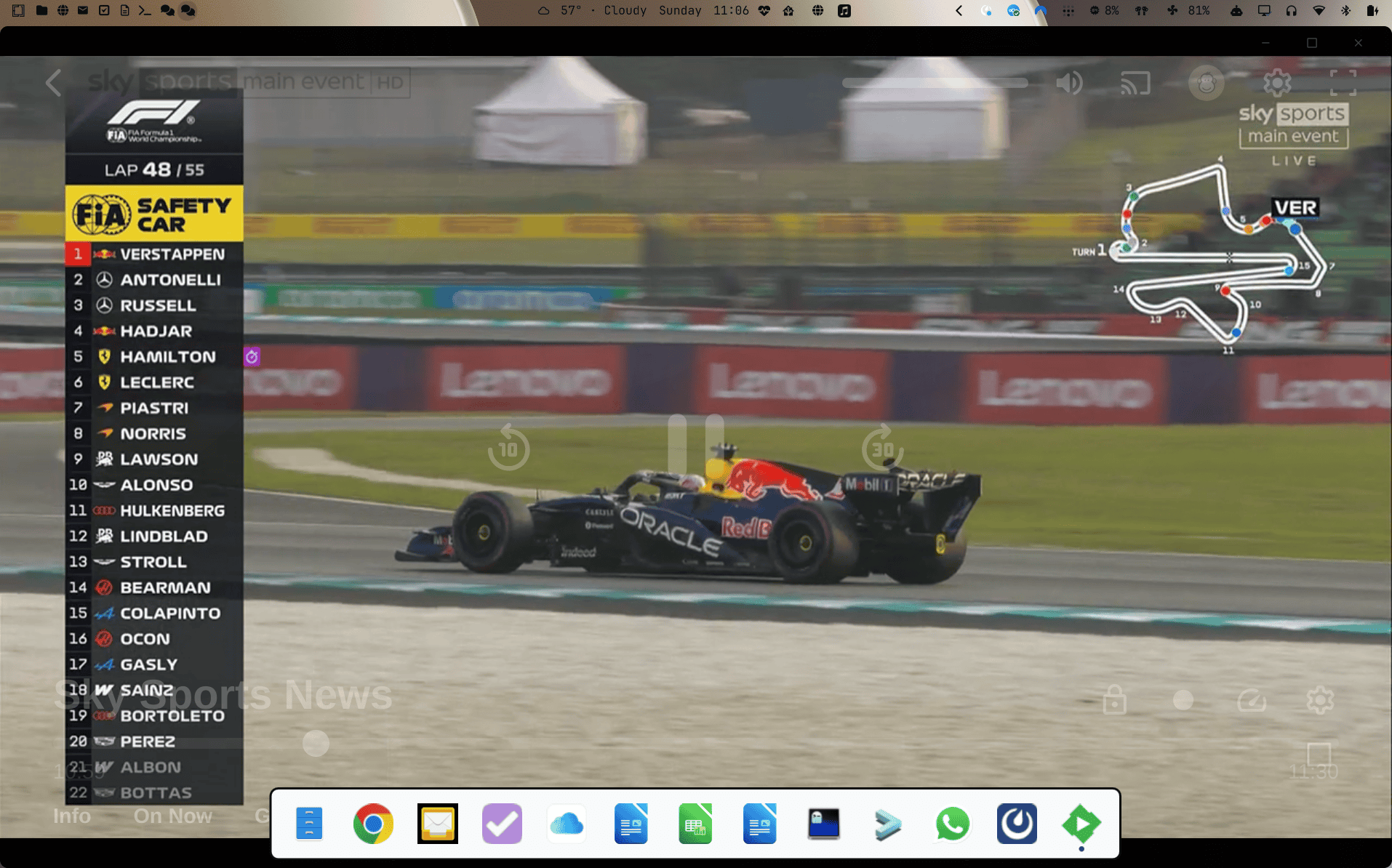
This is another one of those blogs where I added a title and never got around to writing anything. I’m waiting for the Bahrain Grand Prix in Malaysia to start (the first wet race in Bahrain!) so I thought I’d try to find some!
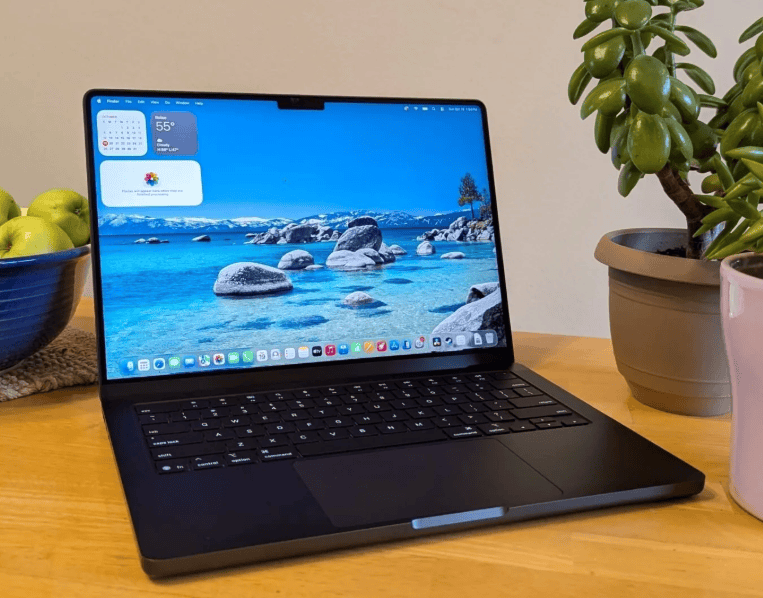
I bought the MacBook Pro M5 Pro back in March, only a few weeks after it was released. The reality was that I really didn’t need to replace my MacBook Pro M1 that I’d blogged about here, but the MacBook Air from 2020 that my partner was using was beginning to cause her some issues, so I got a new laptop, and she got my old one. Anyone following this blog will know that’s how technology upgrades work in this house!
The 2020 MacBook Air is the last one with an Intel processor (a 1.1GHz quad-core Intel Core i5) and was a decent enough config with 16GB RAM and a 512GB SSD, but 6 years is still 6 years, and the Apple M series processors really did change the CPU game back in 2021.
That’s the real story here. The M series processors have been released every year, and every year have upped the bar far beyond expectations. Intel’s performance improvements in the previous 4-5 years had been pretty minimal, but Apple turned that on its head. It was great for the market, as even though the M series is ARM and not x86-based, it was a real kick in the butt for Intel and also helped AMD, who had pretty much caught up and in many cases exceeded Intel’s performance, albeit for a similar price point. A few years later, Qualcomm threw their hat into the ring too, with their Snapdragon X1 (now X2) processors, giving people some real viable options with both the traditional x86 instruction set and the newer ARM architecture.
I tested an HP EliteBook X with a Qualcomm processor for around 12 months, and generally enjoyed using the device, although I struggled a little with Windows for ARM, which still has most of the Microsoft Windows issues with an extra sprinkling of ARM-x86 incompatibility. It was fun to pick up from time to time, but never really became a device I wanted to use over my M1 MacBook.
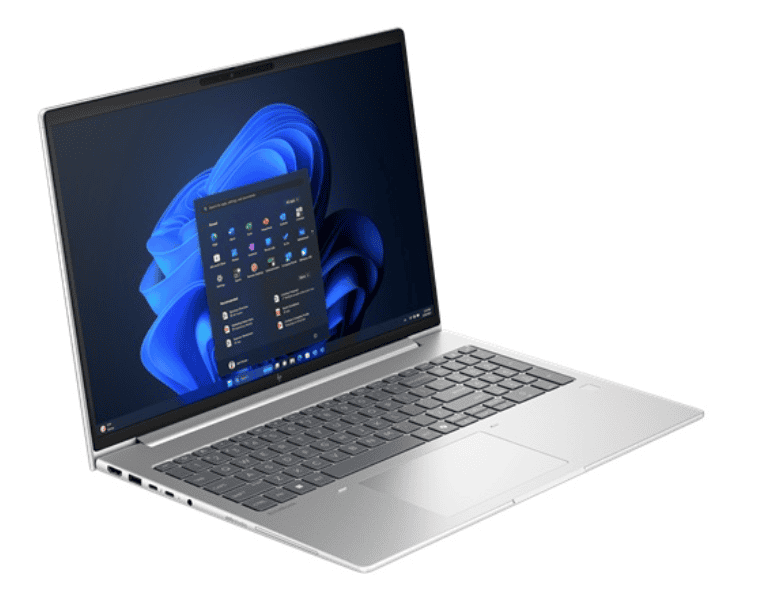
My job means I always have some of the latest laptops to play with, the current long-term one being an HP EliteBook 6G1a, with an AMD Ryzen 5 230 CPU. I’d been using that initially with Ubuntu 24.04 and then upgraded to 26.04 when, through a strange quirk of timing, Ubuntu was at the cutting edge of the Linux kernel and one of the first distros to use 7.0.
That was replaced with Omarchy in August, and there will be a few blogs over the coming weeks (probably months) about my journey with that, as I feel almost like a 10-year full circle from starting this blog back in 2016 (yes, it’s almost 10 years old!)
But what about the M5 Pro? Is it any good? Would you recommend it? As I said at the start, I was quite happy using the M1 Pro for what I use the laptop for, but the M5 Pro is a huge improvement and genuinely feels faster in every way. It’s still the same design, so other than the M5 Pro being a Space Black one (my M1 Pro was Space Grey – don’t you just love Apple’s colour branding), you wouldn’t know they were different. The M5 Pro has more RAM (16 > 24GB and faster DDR5), the same 1TB SSD (but it’s about 3x faster in both read and write) and Thunderbolt 5 (although my Dock is only Thunderbolt 4, so not making full use of the 80GB throughput). There are other improvements that you don’t always appreciate to begin with, too. My Synology Router isn’t even making full use of Wi-Fi 6, so the Wi-Fi 7 isn’t used at home. I hadn’t even thought about Bluetooth 5.4 until I went down to make a coffee with my AirPods Pro still in-ear and connecting when my laptop was left upstairs! I’m sure there are more, but 5 years feels like a pretty good refresh cycle for a laptop these days, whereas as a contractor for almost 20 years (2002-2021) 3 years was my usual cadence. There’s another sister blog around this in relation to mobile phones too!
I didn’t buy this one from Apple, as within less than a month Amazon were selling the £2199 laptop for just over £2000, and with a new Amazon Barclaycard and 6-month 0% interest, that became £1963. Amazon made a complete dog’s breakfast of delivering it (I ended up ordering 3 of them!), so I also got a £50 gift card and qualified for over £19 of rewards from the credit card, so in reality it cost less than £1900. A 13% discount on a less than 1-month-old device is pretty good anyway, but in a backdrop of memory prices increasing by 200-300% across the whole industry, it was too good a deal. Apple increased the price to £2499 a few months later, so that 13% started to look more like 25%!
The crazy justification one comes up with when spending thousands of pounds on a new laptop 🙂 And with all that said, I’m still sat listening/waiting for the GP to start, typing this on the HP 6G1a running omarchy (the M5 Pro sat downstairs).
Anyway, the GP eventually restarted after a somewhat chaotic start, so that will do for my first blog back after another longer than I would have liked break! Hopefully Omarchy will be some inspiration for another one in the next few weeks. Here’s hoping…
It feels like quite a long time since I blogged about PHP, and that’s because it is! Over 5 years, to be precise. Unsurprisingly, none of the supported versions of PHP I was running back then (7.2 and 7.3) are supported today. How about we start with a similar timeline from the PHP website:
As you can see, only 7.3 is still visible on their support roadmap, and support for that ended back in 2021! 7.4 is pretty much the minimum most web-based applications will work with now, but support for this ended just a year later, at the end of 2022.
Fortunately, most of my online services are running supported versions, but some are proving more problematic to update than others, and I’m not entirely sure how to upgrade them all.
The process for updating my TrueNAS/FreeBSD jails is still pretty much as described in the blog from five years ago. The PHP modules change occasionally, with some dropped as they’ve been included in the core and some new ones added, but they’re mostly pretty straightforward. Here’s a quick table of my services using PHP:
LimeSurvey
7.4.32
MediaWiki
8.2.24
Nextcloud
8.3.12
Pi-hole
8.1.2
WordPress (live)
8.3.12
WordPress (test)
7.3.12
APE Services PHP Versions
LimeSurvey is running in a FreeBSD jail, which I’ve updated to 13.4. This will undoubtedly cause me problems, as 7.4 is no longer supported, so a pkg update && pkg upgrade will break things by removing PHP. I have updated the database to 10.6, and LimeSurvey is running the latest version. Still, when I update PHP to anything other than 7.4, I get the error reported here on the LimeSurvey forum. When I get some free time, I’ll play around a bit more, but this one might need to be rebuilt, perhaps starting to move away from jails to docker containers.
I rebuilt MediaWiki as much as a test as anything when I had some database upgrade issues. This is running a supported version and could be upgraded further if required. The suggested version was 8.2, so that’s where I went.
I upgraded NextCloud to the latest version, and that seems to be running fine, although I have noticed a few issues in the TrueNAS console where PHP is exiting in this jail, so I will need to keep an eye on things:
Nov 4 13:21:48 freenas0 kernel: pid 29684 (php-fpm), jid 36, uid 80: exited on signal 10
Pi-hole is running in its own VM, following the instructions on the website and using the simple curl build script. Other than updating things when I noticed a new version, I’ve not tried to do anything with PHP. It’s still receiving security updates until the end of 2025, so I have about 12 months before I need to do anything.
My live WordPress jail, where this blog is hosted, runs 8.2 and could be updated to 8.3. I’m not really sure why I haven’t done that, so I will before the end of the year. UPDATE 10-Nov-24: It is now running 8.3.12!
My test WordPress jail is running in a VM as a docker container, and other than updating WordPress, I’ve not touched the docker container. This is still running 7.3, and I really need to consider updating this, but I’m unsure where to begin. I will need to understand Docker a little more than I currently do if I’m considering migrating from TrueNAS Core to Scale at some point in the future, so this might be a good place to start. It wouldn’t be the end of the world if I completely broke this and needed to create a new test environment.
Anyway, this is starting to sound like one of my annual ‘state of the server’ blogs, and given we’re not too far from the end of the year, I might be doing one of those again, very soon (sorry, Chris)
One of the things I like about blogging to myself is that the process tends to motivate me to do other things. This is one good example! I blogged a little about moving my Home Assistant server from a FreeBSD jail to a Raspberry Pi 4 (Pi) in my New Year blog here. In that, I also mentioned upgrading the OS from the micro SD (mSD) card to a more robust Solid State Drive (SSD). This is about how I created my Home Assistant SSD.
Ok, who didn’t buy something they didn’t really need on Amazon Prime Day? Just me? Surely not! But for just £44.99 I got an Amazon Fire HD 8 (10 Gen) and with a Mastercard promotion a 128GB micro SD card to bump up the storage for £8.45. One of the first things I tried to do was install an emby client, which proved to be much more difficult than I’d imagined, at least until I discovered how to Install the Google Play Store on it.
I picked up my first Arduino as somewhat of an impulse purchase to avoid extortionate delivery costs when I was buying the Devastator Robot Platform which I blogged about here. I thought I might be able to use the Arduino to control the robot but ended up using a Raspberry Pi. I did eventually get around to playing with the Arduino kit and buying a few more along the way.
This website uses cookies to improve your experience. We'll assume you're ok with this, but you can opt-out if you wish.AcceptRejectRead More
Privacy & Cookies Policy
Privacy Overview
This website uses cookies to improve your experience while you navigate through the website. Out of these, the cookies that are categorized as necessary are stored on your browser as they are essential for the working of basic functionalities of the website. We also use third-party cookies that help us analyze and understand how you use this website. These cookies will be stored in your browser only with your consent. You also have the option to opt-out of these cookies. But opting out of some of these cookies may affect your browsing experience.
Necessary cookies are absolutely essential for the website to function properly. This category only includes cookies that ensures basic functionalities and security features of the website. These cookies do not store any personal information.
Any cookies that may not be particularly necessary for the website to function and is used specifically to collect user personal data via analytics, ads, other embedded contents are termed as non-necessary cookies. It is mandatory to procure user consent prior to running these cookies on your website.



Recent Comments