Feb 2, 2017 | IT, TrueOS |
Now, who said dongles were a bad thing? I guess they are in the sense that they’re often seen as a replacement to standard IO ports in the march toward building thinner and lighter laptops, but to be honest for the number of times I actually need to use them it’s a trade-off I’m pretty happy to make. My MacBook that I use on a daily basis is thinner (and probably not much heavier) than the screen on the client’s laptop I’m currently using!
I found the USB Ethernet dongle for my MBA in the box I’d kept stored in the garage, so not too difficult to track down, and once plugged in and TrueOS was booted it was found and configured without any issues at all. (more…)
Jan 27, 2017 | IT, TrueOS |
Well, the answer to the question is a resounding YES, although there is a fairly BIG caveat!
(more…)
Jan 26, 2017 | eOS, IT, macOS, PC-BSD, TrueOS |
 Well, that was probably an even a bigger schoolboy error than not reading the PC-BSD manual! In my search to find a solution to my ‘Start X’ error, it turns out the PC-BSD is no longer supported but is pretty much continuing under the TrueOS banner.
(more…)
Jan 24, 2017 | eOS, IT, macOS, PC-BSD |
I’ve been wanted to get back to where we started, specifically my MacBook Air (MBA) and doing something with the spare partition I created when I setup eOS, but I hadn’t really found the time or decided what I was going to use it for.
Given FreeNAS runs on FreeBSD I thought that was probably the most sensible option, so decided to give PC-BSD a shot, mainly as I expected that to be a lot easier than trying to install FreeBSD and then get a desktop environment up and running (although I had managed that in a virtual machine running a Xfce desktop). If PC-BSD works, then maybe I’ll try that next.
(more…)
Jan 23, 2017 | IT, Other |
After getting to grips with Alexa (well kind of) I thought I’d ramp up the home automation and get a Harmony remote to consolidate all my other remotes and allow for some further voice activation.
(more…)
Jan 19, 2017 | FreeNAS, IT, Server |
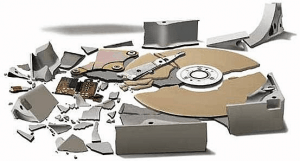 Always a pain, but at least with my FreeNAS set-up, it’s never too much of a worry knowing I can tolerate 2 failed drives without any loss of data, whilst also having the safety net of a full local backup.
To be honest, the drive in question hadn’t actually failed but had reported SMART errors for a month or so. It started with just 8 unrecoverable sectors, which I tend to ignore for a short time. Only when it jumps above 8 do I take action, which it did yesterday.
(more…)

Recent Comments